Turnaround Report
Report Parameters
|
Field |
Description |
|---|---|
|
Report Name |
The name of the report. |
|
Report Date |
The date for which the report must be generated. |
|
Report Options |
Available options include the following:
|
|
Other Report Options |
Available options include the following:
|
|
Building(s) |
A drop-down list consisting of all the building codes. All building records created in the Building Codes (Settings à Setup à Room à Building Codes) screen are displayed as options in the drop-down list. Users can select multiple or all the building codes from the list to be displayed in the report generated. |
Sample Report
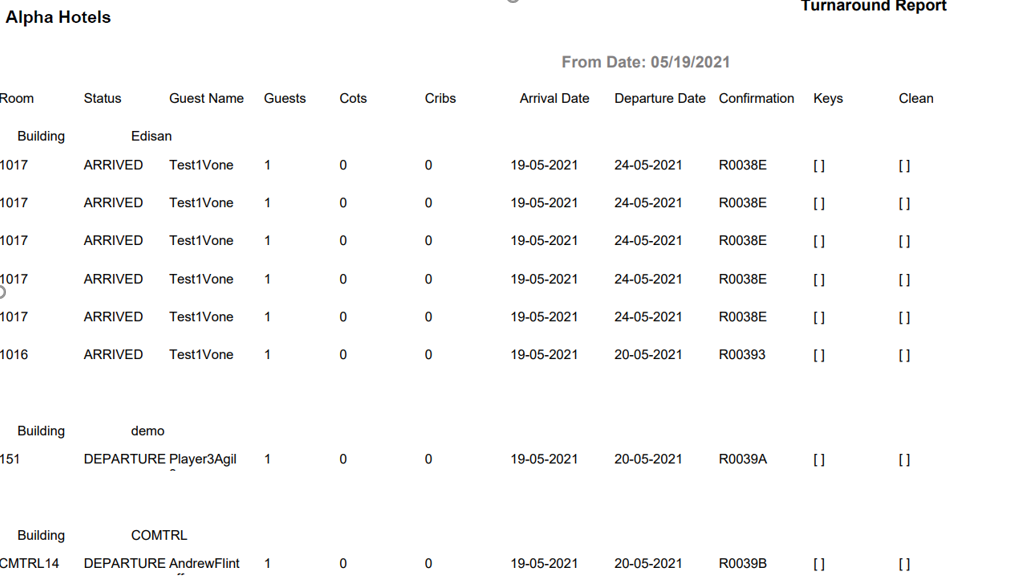
Report Fields
|
Field |
Description |
|---|---|
|
Room |
Room number of the guest. |
|
Status |
The status of the reservation. |
|
Guest Name |
The last name and first name of the guest. |
|
Guests |
Number of guests. |
|
Cots |
The number of cots present in the room as per guest’s request. |
|
Cribs |
The number of cribs present in the room as per guest’s request. |
|
Arrival Date |
The arrival date of the guest. |
|
Departure Date |
The departure date of the guest. |
|
Confirmation |
The confirmation number of the reservation. |
|
Keys |
The number of keys associated with the room. |
|
Clean |
Cleaning status. |